



The calendar you’ve
always needed
See every class, chef and kitchen at a glance. Seats update the moment someone books.
Features
Built around how cooking schools actually run: hands-on classes, small groups, private parties, and a lot of happy repeat guests.
See every class, chef and kitchen at a glance. Seats update the moment someone books.
Take inquiries, send quotes, and book private parties and team-building classes without the back-and-forth.

Guests pick a class, choose their seats, and pay in a couple of taps, day or night.

Class pages that look as good as your food, on your own website or ours.
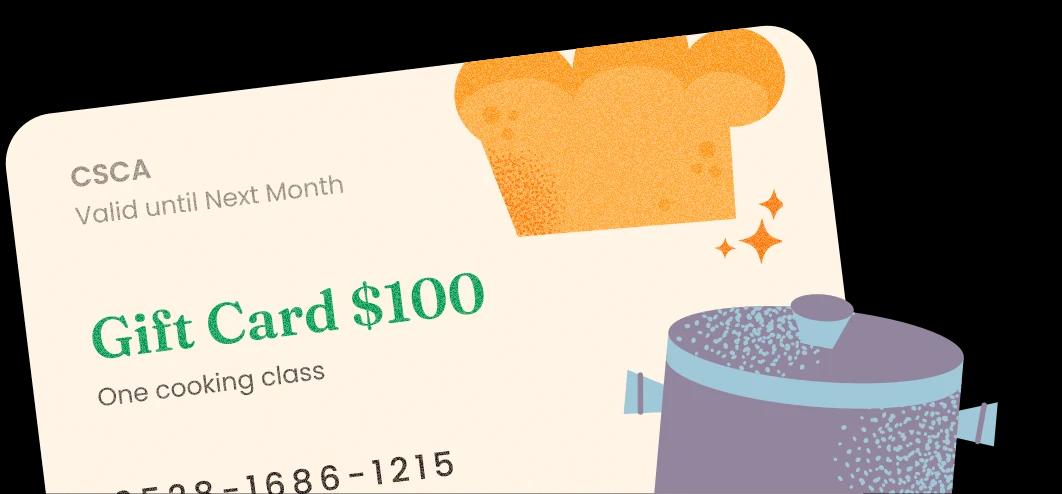
Sell gift cards online and let your customers give a cooking class as a present.
When someone cancels, Hotpan notifies the next person on your waitlist. It also sends automated reminders before each class to reduce no-shows.
The full list
Hotpan is the same software as Occasion, set up for cooking schools. Here are all 148 features, in 10 groups.
01 / 10
Every kind of class, from a one-night workshop to a week of kids’ camp.
14 features
Run a single workshop, or a class that repeats on a set schedule.
Sell several dates as one package, like a course or a camp.
Guests pick the dates they want and book them in one order.
Birthdays, team building and corporate classes, kept off your public calendar.
List a class on your calendar, or share it only by direct link.
Each guest of a private event signs up and pays for their own seat.
Post closures or special hours on your calendar without taking bookings.
Save a class as a template and build new ones from it.
Copy an existing class to set up a similar one quickly.
Add images to each class page.
Tag classes, such as kids, adults or camps, so guests can find them.
Change the wording of the booking button on a class page.
Choose whether a class page shows the full start and end time.
One-click suggestions for class descriptions, emails, texts and waitlist messages.
02 / 10
Price a class the way you sell it, and add what guests take home.
13 features
Charge a fixed price per guest, with separate prices for adults and kids.
Set prices by group size, such as couples or a sibling discount.
Let guests pick an option that changes the order total.
Sell aprons or take-home kits, and track how many are left.
Offer the second seat free or at a lower price.
Take a fixed or percentage deposit and keep track of the balance due.
Give a lower price to guests who join a series after it starts.
Add a service fee, such as gratuity or card costs, to bookings.
Let guests add a donation from amounts you set.
Set a default rate or one per class. It is added at checkout.
Mark items that should not be taxed at checkout.
Add the booking fee to the guest’s total, or cover it yourself.
Take free reservations without paying a booking fee.
03 / 10
Guests find a class wherever they meet you and book it on their phone.
19 features
Embed your class calendar on Squarespace, Wix, WordPress or Shopify.
Link a button or a post straight to one class.
Build a separate calendar view for each audience and location.
Guests filter by category or location, or search by keyword.
Checkout works on a phone, tablet or computer.
Guests pay in one tap when your account runs on Square.
Guests check out without signing up first.
Guests add more than one class to the same order.
Guests see price, dates and times before they enter any details.
A confirmation goes out automatically when someone books.
Ask guests questions at checkout. The answers show on the roster.
Collect information about each person on an order, not only the buyer.
Publish your own policy. Guests agree to it when they book.
Stop online bookings a set time before a class starts.
Enter walk-in and phone bookings straight into your calendar.
Point your Facebook page button at your class calendar.
Post a class link to your social channels from your workspace.
Show your calendar and booking pages in Spanish.
Checkout works with screen readers and keyboard-only navigation.
04 / 10
Know who is coming, which chef is on, and who has arrived.
13 features
Everyone you give access to sees the same live calendar.
Color the calendar by class, chef, kitchen, location or category.
Bookings flow both ways, and you can block personal time.
Hides time slots that clash with other bookings or your Google Calendar.
Block every time slot at a location for a closure or holiday.
Set capacity for a class, or change it for a single date.
See who is coming, what they ordered and what they answered.
Print a class list when you want one on paper.
Email or text one guest or the whole class, with saved replies.
Write a message to a class now and send it later.
Share a link and staff check guests in on any phone, no account needed.
Check-ins update live, and the roster shows who actually arrived.
Add private notes to a class, an order or a guest, just for staff.
05 / 10
Waivers signed online and tied to the booking, with no paper at the door.
10 features
Write your own waiver and attach it to any class.
Guests sign while booking, from an email, or by scanning a code.
Walk-ins scan a QR code and sign on the spot, without an account.
Separate versions for adults and kids, with guardians signing for kids.
Every signature links to the right reservation automatically.
Guest details carry over from the booking.
The roster shows each waiver as signed or pending.
Nudge anyone who has not signed by text or email.
Every signed waiver is stored in your account for good.
See exactly who signed, and when.
06 / 10
Get paid your way, and handle changes without the back-and-forth.
12 features
Payments go to your own account, not a platform wallet.
Record walk-in cash payments next to your online payments.
Send a secure payment link by text or email.
Take payments in Australia, Canada, Europe and the UK.
Search by name, email, order code or class.
Change a name or detail, add a seat, or add extras.
Take an amount off an order without a coupon code.
Move a guest to a later date or a different class.
Charge a card, refund to card or credit, or cancel the order.
Issue refunds as account credit, so the money stays in your school.
Set an expiry date, so unused balances stay with you.
Ask for a Certificate of Transaction Authenticity to answer a dispute.
07 / 10
Paid up front, given as a present, and a way to meet new guests.
17 features
Add your options, get a link, and start selling.
Offer set amounts, or let buyers enter their own.
Buyers can give a class from your calendar, not only money.
Sell a gift card for less than its value as a holiday offer.
Publish the gift card link on your site or on social media.
Sell gift cards at the front desk as well as online.
Create a gift card from your workspace and send it yourself.
Guests enter their code and the balance applies to the order.
Redeem a card for a guest straight from your gift cards page.
Anything left stays on the card for next time.
Someone given a specific class can trade it for something else.
Search by code, name or email and see each balance and its use.
Resend a lost code, or clear a small leftover balance.
Set an expiry date, and unspent balances stay with your school.
Guests can spend existing Square gift cards with you.
Import gift cards and credits when you switch.
Add your colors, images and a personal message to the gift email.
08 / 10
Fill the empty stations and bring guests back, mostly on autopilot.
19 features
Remind guests before their class, automatically.
Send a thank-you or class notes after the class ends.
Change what your automated emails say.
A join-waitlist button appears when a class sells out.
When a seat opens, the next guest in line hears by email or text.
Choose yourself who to contact from the waitlist, and when.
Email guests who leave mid-checkout, and land them back on their booking.
Reward the guest who refers and give their friend a discount.
Guests send their referral code by text, email or WhatsApp.
After a public class booking, guests are invited to share it with friends.
Set spending tiers, and regulars get a reward email when they reach one.
Reach past guests and bring them back onto the calendar.
Send past guests a follow-up email with a coupon for their next visit.
Ask happy guests for a review, and route unhappy ones to you.
Publish discount codes to fill quiet periods.
Limit a coupon to a date range to get guests booking early.
Generate or import many unique codes, for deals or fundraisers.
Email your upcoming classes to subscribers on a schedule you choose.
Recommends other classes to each guest, based on sales and recency.
09 / 10
See what sells, keep the books tidy, and take your data with you.
14 features
See your revenue and performance in one place.
See your busiest days and times, and add classes when people book.
See which locations earn the most.
See how many visitors book each public class, and fix what is not working.
See where each order came from: website, newsletter, recovery email and more.
Match your sales to your bank deposits.
See the sales tax you owe each month, ready to file.
Revenue recognition reports and a QuickBooks export for your accountant.
Save the columns and filters you use, and reuse them.
Send booking data to Google Analytics, Google Ads, Meta and TikTok.
Every guest and the bookings tied to them, in one place.
Track the person who booked and the guests who actually came.
Export orders, guests and reports to Excel, PDF or print.
Bring your existing guest list into Hotpan.
10 / 10
Your name on every page, your team in the right places, and help to move over.
17 features
Guests book on an address like book.yourschool.com.
Guests see your school’s logo and name, not a third-party site.
Set brand colors by hex code and pick from Google Fonts.
Your logo on confirmations, and your colors on cart recovery emails.
Add your own contact email and phone number for guests.
Add a standard signature to every email guests receive.
Give each team member full or limited access.
Run several locations from a single dashboard.
Set up rooms inside a location, so classes can run side by side.
Run classes at your address, online, or on the road.
Transfer a class to another room or location.
Give each location its own customer service details.
One person handles your setup, data import and training.
We import your calendar, bookings, customers and credits.
We connect Hotpan to your website and other platforms.
One-to-one training to get your team up and running.
Reach us by chat, email or phone, seven days a week.
No features match that. Try another word.
Book a 30-minute call. We’ll show you how guests book, what your team sees on the day, and how Hotpan brings guests back.